

 ### BBC Micro:bit Overview
1. **Type**: Microcontroller Development Board
2. **Specifications**:
- **Processor**: ARM Cortex-M0+ processor
- **Clock Speed**: 16 MHz
- **Memory**: 16 KB RAM, 256 KB flash
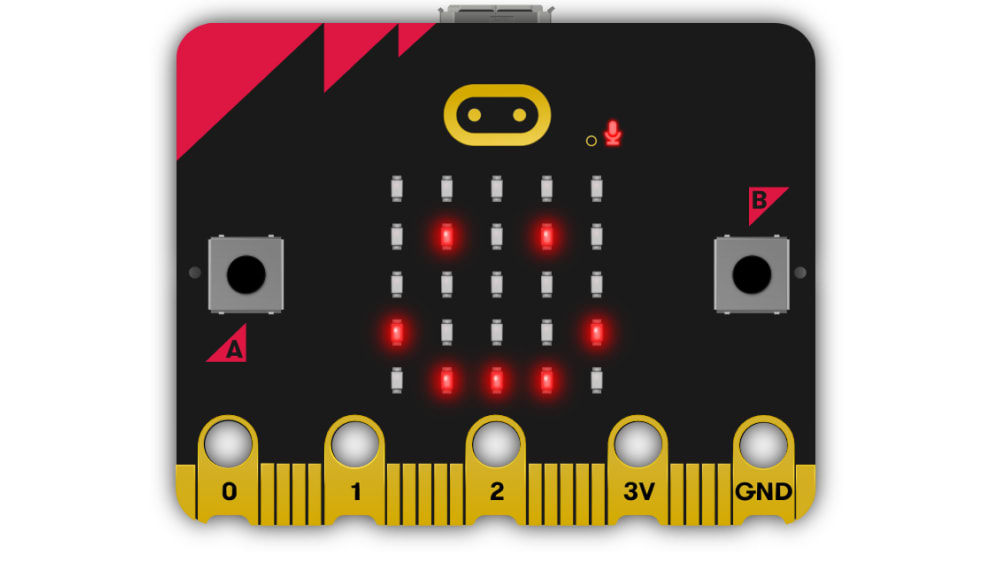
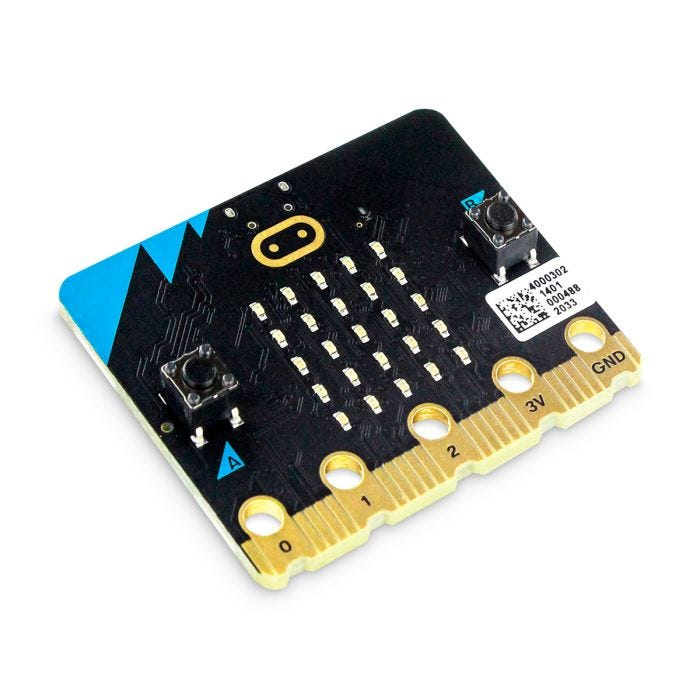
- **Display**: 5x5 LED matrix
- **Input/Output**:
- **Buttons**: Two programmable buttons (A and B)
- **Pins**: 25 GPIO pins, including analog and digital I/O
- **Sensors**: Built-in accelerometer, magnetometer (compass), and temperature sensor
- **Communication**: Bluetooth Low Energy (BLE), UART, I2C, SPI
- **Power Supply**: 3V via USB or battery pack (requires 2x AAA batteries)
3. **Material**:
- **Board**: PCB with various integrated components and connectors
- **Enclosure**: Typically does not come with a built-in enclosure but can be used with various cases or mounts
4. **Functionality**:
- **Programming**: Programmed using block-based coding (Microsoft MakeCode), JavaScript, or Python (MicroPython)
- **Display**: 5x5 LED matrix for visual output and simple animations
- **Input**: Buttons, sensors, and GPIO pins for user interaction and input
- **Communication**: Connects to other devices via Bluetooth or wired connections
5. **Features**:
- **Educational Focus**: Designed for educational purposes, particularly for teaching programming and electronics.
- **Expandable**: Can be connected to various sensors, actuators, and additional modules via GPIO pins.
- **Wireless Communication**: Bluetooth capability for wireless data transfer and interaction.
- **Compact and Portable**: Small size makes it easy to integrate into projects and carry around.
### Typical Uses:
- **Education**: Used in schools and educational programs to teach programming, electronics, and problem-solving skills.
- **Prototyping**: Ideal for rapid prototyping of electronic and programming projects.
- **DIY Projects**: Suitable for hobbyists and makers creating interactive or automated projects.
### Key Benefits:
- **Ease of Use**: Simple programming environment with block-based coding, making it accessible for beginners.
- **Versatility**: Supports a wide range of projects from basic LED displays to complex sensor-based systems.
- **Integration**: Can easily interface with other components and systems via GPIO pins and communication protocols.
### How to Use:
1. **Connect**: Attach the Micro:bit to a computer via USB or use a battery pack for power.
2. **Program**: Use the Microsoft MakeCode editor, Python editor, or other supported programming tools to create your code.
3. **Upload**: Transfer the program to the Micro:bit by dragging and dropping the code file onto the device.
4. **Interact**: Connect sensors, actuators, or other components as needed and observe the results on the LED matrix or other outputs.
### Example Applications:
- **Educational Tools**: Create simple games, simulations, or interactive lessons.
- **Interactive Displays**: Use the LED matrix to display messages, patterns, or animations.
- **Sensor Projects**: Build projects that use the built-in sensors or additional external sensors.
### Installation Tips:
- **Power Supply**: Ensure you provide a stable 3V power source.
- **Connection**: Use appropriate cables or connectors when interfacing with other devices or components.
- **Coding**: Explore tutorials and examples to get started with programming and utilizing the Micro:bit effectively.
### Advantages:
- **Beginner-Friendly**: Ideal for introducing programming and electronics to beginners.
- **Educational Resource**: Provides hands-on learning with real-world applications.
- **Expandability**: Supports a variety of additional modules and sensors for extended functionality.
The BBC Micro:bit is a versatile and educational development board designed to introduce programming and electronics in a fun and interactive way. Its ease of use, compact size, and range of features make it suitable for a wide range of applications and educational purposes.